]]]]]]]]]]]]]]]]]]]]]]]]]]]]]]]]]]]]]]]]]]]]]]]]]]]]]

How To Use Config File Sent Via WhatsApp For Free Browsing On Your Phone

Http Injector config file, kpn tunnel, eproxy Configuration, MTN cheat

Have you finished d yourself in a situation where you were sent a  a config file (for http Injector, tweakware, stark VPN, spark VPN, KPN Tunnel rev, eproxy  a etc) only for you not to find the file when you try importing it? To correct this, the First thing you should do is to go locate the file through your phone default file manage and rename the file to it proper extension(type). Credits to @Tallmike on Nairabit WhatsApp Forum for this tutorial.

Read Also:


Whatsapp automatically convert the file to a supported file type that they can send before sending it, so the receiver received a convert file.  So to use the file the receiver have to convert it back again to the proper file type. You can easily do that simply by renaming  the file.

How To Locate The Configuration File Sent Via Whatsapp

  • Go to your phone file manager
  • Tap on Whatsapp folder
  • Tap on MEDIA
  • Tap on Whatsapp Documents
  • This is where you should see the file.


HTTP Injector and Eproxy Config File

For HTTP injector file, the file type is .ehi (just as the file type or extension for many music player is .mp3), so the file name should  end with .ehi, so you have to remove the .enc  so that only .ehi will be the last extension. Else the Injector app won't find the file.

Latest Configuration file, Http Injector config file, kpn tunnel, eproxy Configuration, MTN cheat

For eProxy  it use .epro file extension, so the file should  end with  .ePro


KPN Tunnel Rev, Tweakware and Spark VPN Config File

And kpn tunel rev app uses krt config file so the file name should end with .krt , while spark vpn uses svc so it file name should end with      .svc
Next you can now go import the file as the file is now in the supported file extension (type) , it will now be visible in the app when you try importing it. Tweakware uses the twk file extension.

To forget about all this whatsapp convertion "wahala" just download the config file with any web browser from www.nairabit.com and no need to go reconvert.

]]]]]]]]]]]]]]]]]]]]]]]]]]]]]]]]]]]]]]]]]]]]]]]]]]]]]

Easy Way To Share Any VPN Connection Via Hotspot, Bluetooth, USB on Android (No Root !)

This article will show you an easy method to  share VPN connection via hotspot to use it on PC or other device. It doesn't matter the VPN app you are using, Hotspot shield, Tweakware, Nairabit VPN, Psiphon, Http injector, KPN Tunnel, Eproxy, any VPN whatsoever even with free browsing cheat. Another exciting thing about this is that this VPN tethering works on both root and no root (non rooted) devices.


Read Also;


What's needed to Share VPN connection Via Hotspot, Bluetooth, USB using Pdanet+?

Lets assume you want to make android vpn hotspot passthrough to your laptop or PC, you would need the following to make VPN shareable via hotspot tethering;
  1. PdaNet for PC (if you intend sharing the hotspot from your android phone to PC or laptop)
  2. PdaNet For Android
  3. FoxFi  for android
  4. Android device
  5. Very good USB data cable to connect your android device (For USB Tethering).

How to Make VPN shareable via Hotspot Tethering to PC


There are 3 different ways to share vpn connection via hotspot using Pdanet;
  1. WiFi Hotspot
  2. USB Tethering
  3. Bluetooth Tethering
Pdanet full version, how to use how to share any VPN connection via hotspot,


  • Go over to your PC, click and run PdaNet and select the same connection option as the one you selected on your mobile phone PdaNet app.
What this means is that if you choose usb tethering on your android, you must first connect you android phone via USB cable to your PC then choose USB Tethering on the android phone while also choosing USB Tethering on PdaNet on PC.

Pdanet full version, how to use how to share any VPN connection via hotspot, usb Tethering, WiFi Tethering


Pdanet full version, how to use how to share any VPN connection via hotspot, pdanet pc

  • Go to the notification bar on your PC and click connect.

That's all, now you know how to share VPN connection via hotspot tethering with other options like Bluetooth and USB Tethering. Have fun !
]]]]]]]]]]]]]]]]]]]]]]]]]]]]]]]]]]]]]]]]]]]]]]]]]]]]]

UC Browser File Not Downloading - How To Download Stucked Files On UC, N Mini

You may have  come across some issues like "my UC browser is not downloading videos" or "UC browser download error"  or " UC  browser download stucked". To download files on UCmini or N-Mini browsers that refused to start download or have retrying problem for a long time , follow the steps below to fix this;


Read: Glo free browsing cheat on N-Mini Browser


How To Solve or Fix latest UC & N-Mini Browser "File not downloading" Problem

To solve a retrying problem on UC Mini browser, follow the steps below;

Step 1


• Open another tab on the N-Mini or UCmini browser.
• Copy and paste the URL below
http://www.securefor.com

Step 2


• Go to the download tab
• Long press and tap on the file that has refused to download.
• Tap on the three dots at the bottom right corner of the app.
•  Tap on copy under Download path to copy the download URL of the file you which to download.

Step 3


• Go back to the securefor.com tab.

• Paste the copied download link on the url box provided on the website.


• Tap on go
That's all, your download should start but this time there won't be any UC download error or UC browser got stucked when downloading videos or other files.

]]]]]]]]]]]]]]]]]]]]]]]]]]]]]]]]]]]]]]]]]]]]]]]]]]]]]

Not Getting OTP on Your Number? See Solution On How To Cancel DND on All Networks

Unable to get OTP sent to your mobile phone number or other text messages? It may be due to DND (do not disturb) feature activated on your line.


This is one of the disadvantages of activating DND services. To start receiving messages and OTP you have to deactivate DND services on your line


How to deactivate DND services on MTN, Airtel, Glo and 9Mobile (Etisalat)


To deactivate DND for 9Mobile (Etisalat) - Text START to 2442

To deactivate DND for MTN - Text ALLOW to 2442

To deactivate DND for Glo - Text CANCEL to 2442

To deactivate DND for Airtel - Text ALLOW to 2442


Some persons claim that both  MTN and AIRTEL networks have automatically activated the DND service without their consent but you can still confirm by texting STATUS to 2442.

If the short codes below doesn't work for you, and you still find it difficult to get  OTP kindly contact your Customer Care.


Customer care number for Airtel Nigeria - dail 111 or 121

Customer care number for MTN Nigeria - dail 180

Customer care number for 9Mobile (Etisalat Nigeria) - dail 200

Customer care number for Glo Nigeria - dail 121 or 200


]]]]]]]]]]]]]]]]]]]]]]]]]]]]]]]]]]]]]]]]]]]]]]]]]]]]]

Fix Message Not Sent Error With MTN | Airtel | Glo | 9Mobile Message Center Numbers

Are you in a situation where you are unable to send text messages on your phone? You receive text messages but whenever you try to send one it shows the failed symbol  or gives you a reply
"Message not sent" or "Message unable to send", this may be due to some message settings being edited by mistake , most times it's the Message Center  Number.


To fix message not sent error on your mobile phone is quite very easy, just follow the 3 simple steps below

Step 1 : open your message app and click on options or settings or Advance settings depending on your mobile device

Step 2: After you've located the message settings from the message app (not from normal phone settings), tap on Text Message (SMS)
Note: some device may have it as SMS service center or something like that


Tap on it and choose or select the network, then input the following center number depending on the network

MTN Message Center number: +234803000000

Airtel Message Center Number: +2348020000009

Glo Message Centre Number: +2348050001501

9Mobile (Etisalat) Message Center Number: + 2348090001518

Step 3: save or just go back. 

That's all, go back and start sending messages again .

]]]]]]]]]]]]]]]]]]]]]]]]]]]]]]]]]]]]]]]]]]]]]]]]]]]]]

How To Unlock Amaze VPN VIP Servers For Free Using Freedom App

amaze vpn

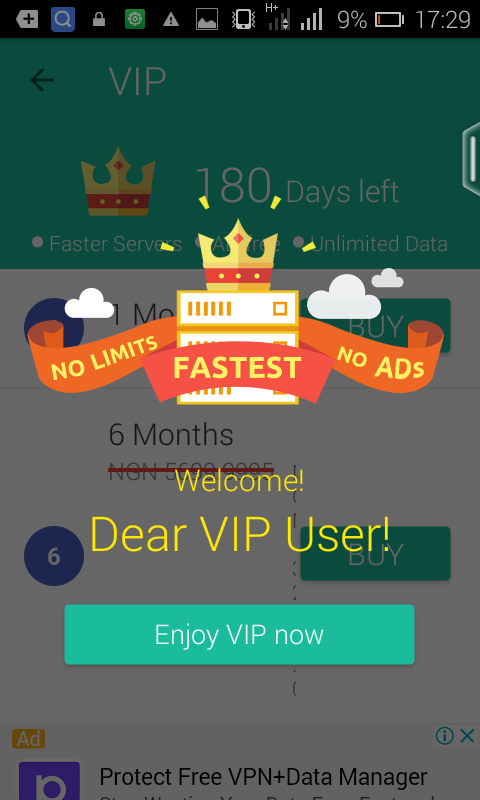
The previous post about Freedom app shows how Freedom apk app is used to unlock premium features in Playstore apps and games. This post will show you how to unlock all Amaze VPN VIP servers which costs about 3,500 Naira each for 6month at no cost.

Note: This post is only for educational purpose, any exploit you make is at your own risk.

Remember, Amaze VPN cheat for 9Mobile free browsing is still working on UCmini and social network apps like Whatsapp, Facebook, Instagram etc., but most users only make use of the free "non turbo speed" servers. 


Click on page 2 to continue reading...


Page 1 Page 2 Page 3