]]]]]]]]]]]]]]]]]]]]]]]]]]]]]]]]]]]]]]]]]]]]]]]]]]]]]

How To Use Config File Sent Via WhatsApp For Free Browsing On Your Phone

Http Injector config file, kpn tunnel, eproxy Configuration, MTN cheat

Have you finished d yourself in a situation where you were sent a  a config file (for http Injector, tweakware, stark VPN, spark VPN, KPN Tunnel rev, eproxy  a etc) only for you not to find the file when you try importing it? To correct this, the First thing you should do is to go locate the file through your phone default file manage and rename the file to it proper extension(type). Credits to @Tallmike on Nairabit WhatsApp Forum for this tutorial.

Read Also:


Whatsapp automatically convert the file to a supported file type that they can send before sending it, so the receiver received a convert file.  So to use the file the receiver have to convert it back again to the proper file type. You can easily do that simply by renaming  the file.

How To Locate The Configuration File Sent Via Whatsapp

  • Go to your phone file manager
  • Tap on Whatsapp folder
  • Tap on MEDIA
  • Tap on Whatsapp Documents
  • This is where you should see the file.


HTTP Injector and Eproxy Config File

For HTTP injector file, the file type is .ehi (just as the file type or extension for many music player is .mp3), so the file name should  end with .ehi, so you have to remove the .enc  so that only .ehi will be the last extension. Else the Injector app won't find the file.

Latest Configuration file, Http Injector config file, kpn tunnel, eproxy Configuration, MTN cheat

For eProxy  it use .epro file extension, so the file should  end with  .ePro


KPN Tunnel Rev, Tweakware and Spark VPN Config File

And kpn tunel rev app uses krt config file so the file name should end with .krt , while spark vpn uses svc so it file name should end with      .svc
Next you can now go import the file as the file is now in the supported file extension (type) , it will now be visible in the app when you try importing it. Tweakware uses the twk file extension.

To forget about all this whatsapp convertion "wahala" just download the config file with any web browser from www.nairabit.com and no need to go reconvert.

]]]]]]]]]]]]]]]]]]]]]]]]]]]]]]]]]]]]]]]]]]]]]]]]]]]]]

Easy Way To Share Any VPN Connection Via Hotspot, Bluetooth, USB on Android (No Root !)

This article will show you an easy method to  share VPN connection via hotspot to use it on PC or other device. It doesn't matter the VPN app you are using, Hotspot shield, Tweakware, Nairabit VPN, Psiphon, Http injector, KPN Tunnel, Eproxy, any VPN whatsoever even with free browsing cheat. Another exciting thing about this is that this VPN tethering works on both root and no root (non rooted) devices.


Read Also;


What's needed to Share VPN connection Via Hotspot, Bluetooth, USB using Pdanet+?

Lets assume you want to make android vpn hotspot passthrough to your laptop or PC, you would need the following to make VPN shareable via hotspot tethering;
  1. PdaNet for PC (if you intend sharing the hotspot from your android phone to PC or laptop)
  2. PdaNet For Android
  3. FoxFi  for android
  4. Android device
  5. Very good USB data cable to connect your android device (For USB Tethering).

How to Make VPN shareable via Hotspot Tethering to PC


There are 3 different ways to share vpn connection via hotspot using Pdanet;
  1. WiFi Hotspot
  2. USB Tethering
  3. Bluetooth Tethering
Pdanet full version, how to use how to share any VPN connection via hotspot,


  • Go over to your PC, click and run PdaNet and select the same connection option as the one you selected on your mobile phone PdaNet app.
What this means is that if you choose usb tethering on your android, you must first connect you android phone via USB cable to your PC then choose USB Tethering on the android phone while also choosing USB Tethering on PdaNet on PC.

Pdanet full version, how to use how to share any VPN connection via hotspot, usb Tethering, WiFi Tethering


Pdanet full version, how to use how to share any VPN connection via hotspot, pdanet pc

  • Go to the notification bar on your PC and click connect.

That's all, now you know how to share VPN connection via hotspot tethering with other options like Bluetooth and USB Tethering. Have fun !
]]]]]]]]]]]]]]]]]]]]]]]]]]]]]]]]]]]]]]]]]]]]]]]]]]]]]

UC Browser File Not Downloading - How To Download Stucked Files On UC, N Mini

You may have  come across some issues like "my UC browser is not downloading videos" or "UC browser download error"  or " UC  browser download stucked". To download files on UCmini or N-Mini browsers that refused to start download or have retrying problem for a long time , follow the steps below to fix this;


Read: Glo free browsing cheat on N-Mini Browser


How To Solve or Fix latest UC & N-Mini Browser "File not downloading" Problem

To solve a retrying problem on UC Mini browser, follow the steps below;

Step 1


• Open another tab on the N-Mini or UCmini browser.
• Copy and paste the URL below
http://www.securefor.com

Step 2


• Go to the download tab
• Long press and tap on the file that has refused to download.
• Tap on the three dots at the bottom right corner of the app.
•  Tap on copy under Download path to copy the download URL of the file you which to download.

Step 3


• Go back to the securefor.com tab.

• Paste the copied download link on the url box provided on the website.


• Tap on go
That's all, your download should start but this time there won't be any UC download error or UC browser got stucked when downloading videos or other files.

]]]]]]]]]]]]]]]]]]]]]]]]]]]]]]]]]]]]]]]]]]]]]]]]]]]]]

Not Getting OTP on Your Number? See Solution On How To Cancel DND on All Networks

Unable to get OTP sent to your mobile phone number or other text messages? It may be due to DND (do not disturb) feature activated on your line.


This is one of the disadvantages of activating DND services. To start receiving messages and OTP you have to deactivate DND services on your line


How to deactivate DND services on MTN, Airtel, Glo and 9Mobile (Etisalat)


To deactivate DND for 9Mobile (Etisalat) - Text START to 2442

To deactivate DND for MTN - Text ALLOW to 2442

To deactivate DND for Glo - Text CANCEL to 2442

To deactivate DND for Airtel - Text ALLOW to 2442


Some persons claim that both  MTN and AIRTEL networks have automatically activated the DND service without their consent but you can still confirm by texting STATUS to 2442.

If the short codes below doesn't work for you, and you still find it difficult to get  OTP kindly contact your Customer Care.


Customer care number for Airtel Nigeria - dail 111 or 121

Customer care number for MTN Nigeria - dail 180

Customer care number for 9Mobile (Etisalat Nigeria) - dail 200

Customer care number for Glo Nigeria - dail 121 or 200


]]]]]]]]]]]]]]]]]]]]]]]]]]]]]]]]]]]]]]]]]]]]]]]]]]]]]

Fix Message Not Sent Error With MTN | Airtel | Glo | 9Mobile Message Center Numbers

Are you in a situation where you are unable to send text messages on your phone? You receive text messages but whenever you try to send one it shows the failed symbol  or gives you a reply
"Message not sent" or "Message unable to send", this may be due to some message settings being edited by mistake , most times it's the Message Center  Number.


To fix message not sent error on your mobile phone is quite very easy, just follow the 3 simple steps below

Step 1 : open your message app and click on options or settings or Advance settings depending on your mobile device

Step 2: After you've located the message settings from the message app (not from normal phone settings), tap on Text Message (SMS)
Note: some device may have it as SMS service center or something like that


Tap on it and choose or select the network, then input the following center number depending on the network

MTN Message Center number: +234803000000

Airtel Message Center Number: +2348020000009

Glo Message Centre Number: +2348050001501

9Mobile (Etisalat) Message Center Number: + 2348090001518

Step 3: save or just go back. 

That's all, go back and start sending messages again .

]]]]]]]]]]]]]]]]]]]]]]]]]]]]]]]]]]]]]]]]]]]]]]]]]]]]]

How To Unlock Amaze VPN VIP Servers For Free Using Freedom App

amaze vpn

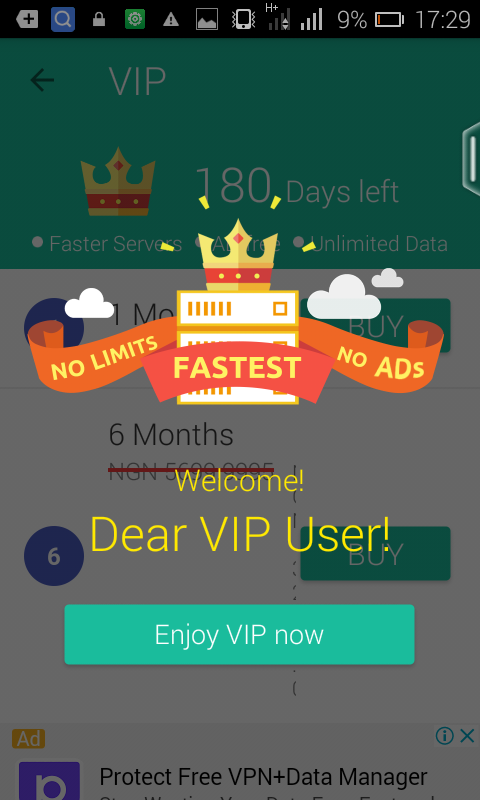
The previous post about Freedom app shows how Freedom apk app is used to unlock premium features in Playstore apps and games. This post will show you how to unlock all Amaze VPN VIP servers which costs about 3,500 Naira each for 6month at no cost.

Note: This post is only for educational purpose, any exploit you make is at your own risk.

Remember, Amaze VPN cheat for 9Mobile free browsing is still working on UCmini and social network apps like Whatsapp, Facebook, Instagram etc., but most users only make use of the free "non turbo speed" servers. 


Click on page 2 to continue reading...


Page 1 Page 2 Page 3
]]]]]]]]]]]]]]]]]]]]]]]]]]]]]]]]]]]]]]]]]]]]]]]]]]]]]

Updated DSTV SMS | USSD Codes For Subscription | Fix Errors | Upgrade Package | Manage Account

DSTV, owned by South African Multichoice has made its services easier to its subscribers in Nigerian by rolling out USSD codes to check subscription balance, pay or upgrade subscriptions, clear errors, check due date and confirm accounts. These DSTV SMS and USSD command codes reduces the stress of leaving one's home or office to DSTV outlets.


dstv


Digital satellite television (DSTV) uses smartcards which have some unique digits known as "Unique Identifier" which helps to identify a subscriber or DSTV decoder.

Read Also: From N30,000 see the latest Tecno Spark K7 with 13MP Camera and Android 7.0 Nougat


DSTV SMS and USSD Command Codes

Check account balance: This can be done easily by sending an SMS in this format; Balance space (Smartcard number)

  • Balance (Smartcard number)  

to 30333


For example, if your smartcard number is 124567890, to check tou balance, you send an SMS in this format


  • Balance 1234567890  


to 30333 

your account status will be sent to you immediately. Note standard SMS rates applies. 


Check Due Date Of Your Account Balance: 

To check the date your subscription will expire, just send 


  • Due (Smartcard number)


to 30333

For example, still using the smartcard number above;


  • Due 4267161717 to 30333 

and the due date of your subscription will be sent to you.


Product Activated

To check how many products that has been activated on your account. Send an SMS in this format


  •  Products (Smartcard number) 

to 30333

Last Payment Processed

To check the last payment on your account.


  • Payment (Smartcard number) 

to 30333


Clear Error Codes 

Error codes could be very annoying , It prrvents you from viewing your favorite channel. To clear these codes, just SMS

Reauth (Smartcard number)

 to 30333

Alternatively, you can download and use the DSTV Now App for these operations and is available on playstore for Android phones/devices only or you can visit the DSTV website.


]]]]]]]]]]]]]]]]]]]]]]]]]]]]]]]]]]]]]]]]]]]]]]]]]]]]]

How To Delete Google’s Copy Of Your Online Activities

Privacy is very dear to most people but what they dont know is that their online activities are recorded and stored by Google on their devices. Google monitors and keeps record of your online activities; websites visited including those sites you may think you alone know about. Google has evolved and its not just a search engine. It is absolutely true that Google may have a complete information on most of the things you do with your device, so if you are one that likes privacy, this will be a helpful tip for you.


How to see and delete everything Google knows about your online activities.


  • Open any browser on your device and click on this My Activity link to see everything Google have stored about your online activities. You have the option to delete them one by one or leave them for future purposes


  • You can turn it off by heading to Activity Control here before deselecting Web & App Activity, uncheck “Include Chrome browsing history and activity from websites and apps that use Google services”

  • On the same “Activity Controls” page, users can also disable location tracking, contact and calendar storing, Google’s ability to record and store your voice recordings, and YouTube search and watch history.


]]]]]]]]]]]]]]]]]]]]]]]]]]]]]]]]]]]]]]]]]]]]]]]]]]]]]

How To Fix Google Play Store Errors

Google playstore is the most trusted and also the number one android market anywhere, having thousands of free and paid android games and apps, but has its own errors which can be very annoying sometimes. These errors, one way or another, prevents users from downloading contents from the store to their devices. Some get so frustrated with Google Playstore errors that they result to abandoning it for other popular android markets like mobofree and apkpure. Unfortunately, the error messages are shown in form of codes or numbers and doesn’t provide information or explain what the actually problem is and how to fix it. Here at nairabit, I’m going to explain/share the list of all common Google Play Store errors alongside how to get it fixed.

Fix google playstore errors

How To Fix Google Play Store Errors On Any Android Device

Below are lists of common playstore errors and how to fix them

How to Fix Google Play Store Error 101

Error 101: This error prevents download of any app or game and its due to the number of installed apps you already have on your device.

Error 101 Fix: To fix error 101, you have to uninstall the less useful apps on your device or clear data of Google play store, then remove your google account then add it again. After that, reboot your device.
To clear Google PlayStore data, go to settings>>application>>All>>select playstore, then tap on "clear data"

How to Fix Google Play Store Error 403

Error 403: The request to download an application is forbidden i.e. download is impossible. This occurs when there are two or more Google accounts on one device.

Error 403 Fix: Go to google play store with the correct google account and then Uninstall the application in question. Now install apps from google play.

How to Fix Google Play Store Error 413

Error 413 : This error prevents download or update of apps/games.

Error 413 Fix: Go to Setting > Applications >> All Apps>> select Google Play Services and tap on clear data and then Force Stop. Go back to select Google Play Store, then force stop and clear data.

How to Fix Google Play Store Error 481

Error 481: This means that there is an Error in your Google account.

Error 481 Fix: Remove your existing account (go to settings>>accounts>>select Google>>remove, and use another Google account.


How to Fix Google Play Store Error 491

Error 491: Error 491 prevent download and updates of applications.

Error 491 Fix: Remove google account (see error 481 fix) and reboot the device and add the account once again, finally go to Setting >> Applications Manager > (All apps) >> Scroll down to Google Services, click on clear data and force stop it.

How to Fix Google Play Store Error 492

Error 492: Download successful but cannot install the apps due to issues with dalvik cache.

Error 492 Fix: Go to Setting >> Application >> Clear data of both Google service and Google Play Store then force stop it. If the problem is still persist, delete the dalvik cache by going into custom recovery mode only if the device is rooted .

Solution 2 - The other solution to Error 492 involves a complete data wipe/ factory reset from recovery mode. Note, this option will wipe your all your data, so ensure you have a backed up everything you don't want to loose.

How to Fix Google Play Store Error 495

Error 495: It happens while downloading apps and games from Google play store.

Error 495 Fix: Go to Setting >> Applications>>All Apps>> Clear Cache and Data of both Google play store and Google services framework. If the error still persist, just remove and re-add the Google account (see error 481 fix).

How to Fix Google Play Store Error 498

Error 498: This interrupts the download process from google play store. It occurs because the space or memory for the device cache is full.

Error 498 Fix: Just uninstall less important apps or files to create space then restart your device in recovery mode: For Samsung Device– Press the volume down, power and home buttons together or For Other Devices – press volume down and power. Select wipe cache partition by navigating between options with volume rocker and then confirm using the Power button.

How to Fix Google Play Store Error 919

Error 919: Unable to install app after successful download. This is due to low memory space on the device.

Error 919 Fix: Delete unwanted file to free up space.


How to Fix Google Play Store Error 920

Error 920: App unable to download.

Error 920 Fix:  Turn off and on your data. Or remove and re-add your Google account, if it doesn't work, use another Google account.
Still doesn't solve it? Then clear cache and clear data of google play store (see error 495 fix) and from the same tab uninstall Google play store updates and then restart your phone. Now download your apps from Google Play Store.

How to Fix Google Play Store Error 921

Error 921: Unable to download

Error 921 Fix: Clear cache and data of the google play store (see error 413 fix), Remove your Google account, restart the device and add the Google account again. Now remove your google account, restart the device and add it again.

How to Fix Google Play Store Error Code 923

Error 923: Unable to Download,  Error while syncing your google account or insufficient cache memory.

Error 923 Fix: Uninstall less important files and apps to free up space and reboot the device into recovery mode . (See error 498). Select wipe cache partition and select "reboot device'. Now set up your Google account again and download your apps.

How to Fix Google Play Store Error 927

Error 927: Unable to Download app or games because an update of the play store is in progress.

Error 927 Fix:  Wait a few minutes until the play store update is complete. If the problem is not solved, go to Setting >> Apps >>All>> and locate the Google services. Clear data and then force stop it. Do the same with the google play store application.

These are the most common Google Play Store Errors and how to fix them. I hope this helps, use the comment box for any contributions or if you encountered any issue.